Sunday, November 29, 2015

Quad, eh?

DNS is your IPv6 friend

by Craig Miller

IPv6  The Memory Test

Needs DNS
Old hands at IPv4 pride themselves on knowing the address of their servers, routers, name servers, etc. However with IPv6 and eight (8) groups of four (4) hexidecimal numbers as an address, this becomes more taxing on the memory. Of course an address like 2001:470:1d:583:fc48:b08e:c438:9e5d isn't impossible to remember, brighter minds than mine will be able to.

DNS to the rescue

As the internet grew in the early 80's it became apparent that having a service which would translate names to IP addresses would be extremely helpful. Humans, after all, are used to remembering names. In 1983, the first DNS (Domain Name Service, RFC 1034) was created, and BIND (Berkeley Internet Name Daemon) remains the standard for DNS today.

Internet Humour

DNS information is kept in a structured file, with name to address mapping in 'A' records. An example would look like this:
obake IN A 10.1.1.3
; IN HINFO "Intel Core I7 VM Host"

With the introduction of IPv6 for DNS (RFC 3596) a new type of line or record was added to the DNS structured file, an AAAA record, or Quad A record. 

Since an A record represented an IPv4 address (or 32 bit address) and an IPv6 is an 128 bit address, which is 4 time longer, it is an inside joke to make a DNS record 4 times longer, or a AAAA record.

Quad AAAA records

An example of a single A and Quad A record is:
obake IN A 10.1.1.3
obake IN AAAA 2001:470:1d:583:224:1dff:fed3:a117
; IN HINFO "Intel Core I7 VM Host"

As you can see it is much easier to type ping6 obake, rather than ping6 2001:470:1d:583:224:1dff:fed3:a117. And a lot easier to remember as well.

DNS as a transition tool

A really nice feature of DNS is that it will accept queries on both IPv4 and IPv6, returning either A or AAAA records. This means that if your host only makes DNS queries over IPv4, it can resolve IPv6 addresses (or if you prefer, query AAAA records).

Running a DNS service with A and AAAA records means any host, legacy or not, can resolve IPv6 addresses on your network. There is no cost beyond adding the AAAA records to your DNS. And suddenly, troubleshooting your network will get much easier.

A key difference from IPv4

DNS will typically not have reverse entries for IPv6. As I have mentioned in earlier posts, with SLAAC, and temporary (or private) addresses which change every 24 hours, your reverse entries in your DNS would have to be updated every day!

IPv6 is supposed to make your life easier, but updating reverse entries daily is not easier. So most network operators will have a few statically defined IPv6 reverse entries (usually for servers) and that is it.

IPAM

Another solution to address management, DNS, and reverse entries is the use of IPAM (IP Address Management) software. Of course you could keep track of your address management in an excel spreadsheet, and many do. But when adding IPv6, you will find the IPAM software to free you from typos, versioning, and locked shared file problems. BlueCat and BT Diamond are a couple of the many IPAM vendors out there today.

Hammer Time

Remember, DNS is a tool to make your life easier. Sure you can use a rock to pound a nail, but a hammer is so much nicer. DNS will make ping6 hammer time.

* Quad, Eh? is not an internet joke, but a Canadian one

Monday, November 23, 2015

IPv6 RA, RA, RA

IPv6 Router Advertisements

by Craig Miller

IPv6  The Network is in control

Router Advertisement
The authors of IPv6 wanted to learn from the IPv4 mistakes, and one key issue (at the time) was statically assigned addresses (DHCP hadn't been invented yet). As I have written in a previous post, SLAAC (Stateless Address AutoConfig) was a huge step forward in end nodes being able to get an address auto-magically.

End station (host, nodes, machines, etc) addressing is controlled by the Router Advertisements (RAs). In this article, I will delve into RAs a bit more, and explain how one can configure RAs to give you the result you are looking for.

RA Bits

Not surprisingly, RAs are sent by routers. The RA is a Type 134 ICMPv6 message (IANA ICMPv6 assign numbers). The individual interfaces on your router must be configured to send RAs when IPv6 is enabled. The RA has several flags (bit fields) which can be set or unset. The important ones for addressing are the A, M, and O bits. These control how the end station will get an address. Jeff Carrell summarized it well in a 2012 presentation.
AutoConfiguration Options

I had this slide up on my cube wall for years, and gave a copy to anyone who seemed remotely interested in IPv6.

Simplifying the RA Bits

L bit

Let's start with the easy one. The L bit (or link bit) as you can see it is always on, and has no bearing on how an end station gets an address. 'Nuff said.

A bit

The next one to tackle is the A bit, this is the one that controls whether SLAAC is used by the end station.

M bit

The M bit is the Managed bit, which tells the end station to initiate DHCPv6 client request (RFC 3315). Unlike DHCPv4, IPv6 clients should NOT initiate a DHCPv6 request unless the M bit is set (not all clients respect this).

O bit

The Other bit, is a combination bit of sorts. The ideas is that SLAAC or manual may not provide all the information and end station may need, such as location of DNS and NTP servers. By setting the O bit, the network administrator is asking the end station to do a DHCPv6 for the options, but NOT for an address.

As you can see from Jeff's slide (above) the O bit is used with either the A bit (SLAAC provides the address) or the M bit (where DHCPv6  provides the address)

But wait, there's more 

RAs also advertise one or more prefixes for the link. Remember in What's with all those IPv6 Addresses end stations can have many IPv6 addresses. They can also have addresses in different subnets (on the same link). This would be useful for an address transition (from one address to another).

Since DNS is so useful (you were memorizing all those IPv6 addresses, right?), Recursive Domain Name Server Serivce (RDNSS) is useful (RFC 6106).

Lastly, for now, when the end station hear's the RA, and it assigns the default route next hop, as the link-local address of the router. By looking at the route table of the end station, you can see the default route:
$ ip -6 route
...
default via fe80::224:95ff:fef1:8ca dev mlan0  proto ra  metric 1024  expires 1608sec

There are other things in the RA, router lifetime, reachability, etc, which I may cover in a later post. But these are the important addressing bits.


RA Implementation Isues


This how it is supposed to work. The RFC's specify the ideal. But then it falls upon the developers to implement the ideal, and sometimes they fall short. When non-obvious combinations of RA bits (or flags) are set, non-obvious behaviours occur. Although the following RFC memo (it was only a draft, and has no number) is now expired, it still contains some good info about implementations of Windows 7, MacOS X 10.7 (aka Lion), and Ubuntu 12.04. It is well worth a read if you want to see how the OSs have really been implemented.


RA Troubleshooting

Want to see what your router is advertising?  You could fire up wireshark (or tcpdump) and wait, and wait, and wait for the router to send an RA (the configurable time is usually from every few minutes to much longer). Or you could issue a RS (Router Solicitation) and see the look at the RA that comes back.

The easiest way to do this is to use the linux utility rdisc6 (on Ubuntu, part of the ndisc6 package). This will do all the work, and show the results in a fairly human readable form.
$ rdisc6 eth0
Soliciting ff02::2 (ff02::2) on eth0...

Hop limit                 :           64 (      0x40)
Stateful address conf.    :           No   <--- M bit
Stateful other conf.      :           No   <--- O bit
Router preference         :       medium
Router lifetime           :         1800 (0x00000708) seconds
Reachable time            :  unspecified (0x00000000)
Retransmit time           :  unspecified (0x00000000)
 Source link-layer address: 00:24:95:F1:08:CA
 MTU                      :         1280 bytes (valid)
 Prefix                   : 2001:470:1d:584::/64
  Valid time              :         7200 (0x00001c20) seconds
  Pref. time              :         1800 (0x00000708) seconds
 Prefix                   : 2607:c000:815e:c400::/64
  Valid time              :         7200 (0x00001c20) seconds
  Pref. time              :         1800 (0x00000708) seconds
 Route                    : 2607:c000:815e:c400::/56
  Route preference        :       medium
  Route lifetime          :         7200 (0x00001c20) seconds
 Recursive DNS server     : 2001:470:1d:584::1
  DNS server lifetime     :         1800 (0x00000708) seconds
 from fe80::224:95ff:fef1:8ca

As you can see this router is advertising two prefixes into my network, and each of my hosts have five (5) IPv6 addresses (link-local, prefix 1 SLAAC, prefix 1 SLAAC/Temporary, prefix 2 SLAAC, prefix 2 SLAAC/Temporary).


Do not adjust your TV set, the RAs are in control


Knowing the RA bits, A, M, and O will help you control addressing on your IPv6 network. I have focused on the addressing components of the RA, but there is more  (home agent, reachability time, MTU size, etc), which can help you solve more challenging problems in your network. The RA is a useful tool to simplify your IPv6 network, hip-hip-hooRA for the RA.


Monday, November 16, 2015

Slaac-ing Off

IPv6 SLAAC

by Craig Miller

IPv6  Auto Magic

Slaacer is a good thing
20 years ago when IPv6 was being standardized, the IPv4 world was busy statically defining addresses on every machine. This was becoming a burden to network administrators, and it was quickly becoming a problem of scale. DHCPv4 hadn't been invented yet.

Back in 1996, the IPv6 authors created a method by which devices on the network could auto-magically create a valid global routable address using SLAAC (StateLess Address Auto Config, RFC 4862). By using SLAAC, all hosts on a network could, without network administrators help, get on the internet.

Two halves of SLAAC

Because the simplification of subnet masking in IPv6 (everything is a /64, see Simplifying Subnetting) the address can be split in half, with the left (MSB) being the network portion of the address, and the right (LSB) being the host portion. 

Host Part

Let's start with the right half, the host portion. Since on a subnet, or broadcast domain (if you thinking IPv4), all MAC addresses must be unique, the IPv6 authors use this to create the host portion of the address. First the 48 bit MAC address is converted to a 64 bit number, or EUI-64, by inserting FFFE in the middle. For example a MAC address is: 60:21:c0:e0:8f:0a, would become: 6021:c0ff:fee0:8f0a. Then the last step in this transformation is to flip the universal/local bit (bit position 7, see RFC 2373 Appendix A) which results in: 6221:c0ff:fee0:8f0a. This host portion is not only used in the global routable SLAAC address, but also in the link-local address.

Network Part

The left half, or network portion is easier. When the network is defined on the router, the router will send out a router advertisement (RA) which will include the network prefix for that subnet. There is more to the RA, such as the M & O bits, but I'll cover that in a later post. Using tcpdump, a typical RA looks like:
15:12:21.640794 fe80::2a0:a512:85:2940 > ip6-allnodes: [icmp6 sum ok] ICMP6, router advertisement, length 48
    hop limit 64, Flags [none], pref medium, router lifetime 0s, reachable time 0s, retrans time 0s
    prefix info option (3), length 32 (4): 2607:c000:8000:8b93::/64, Flags [onlink, auto], valid time 2592000s, pref. time 604800s

On the Internet

The host, hears the RA, and forms a full 128 bit global routable address by prepending the advertised prefix to the host portion (lower 64 bits). And magically, the host is ready to use the internet!

OK, that was a bit simplified somewhat. There is DAD (Duplicate Address Detection, RFC 4862) which has to happen, but since as we have seen above, the IPv6 address is formed from the MAC address, it should be unique. If it isn't, DAD will figure that out, and create a unique host portion of the address, and then boom! you are on the internet.

Global Auto-configuration

As you can see a key difference from IPv4 is that a host can get a global address without user, or network administrator intervention. But you might ask, what about auto-configuration in IPv4, the 169.254.0.0/16 address (RFC 3927)? This is different in two key ways:
  •  IPv6 SLAAC predates ipv4 auto-config, which was inspired by IPv6 SLAAC
  • It is not a global routable address, but used more on-link communication when a DHCPv4 server is not available

The Network is in charge

Sun Microsystems (now part of Oracle) used to have a marketing phrase, "The Network is the Computer." IPv6 creators, took this to heart, and much of IPv6 is controlled by the network, specifically, the RA (Router Advertisement). This architecture creates great power in the Network Administrator's hands. If a subnet must be renumbered, it is as simple as changing the prefix in the RA, all hosts will pick up the new prefix, and generate new global addresses.

SLAAC Evolving

SLAAC continues to evolve. Privacy concerns about using the same global address (without NAT) were raised, and SLAAC temporary addresses (RFC 4941) were created to address this issue, and is widely deployed in OSs. A newer standard which has yet to see wide deployment is attempting to address the privacy issue, while creating a stable (non-changing, and not tied to the MAC) address (RFC 7217), which will make it easier for firewall (ACL, Access Control Lists) configuration.


SLAAC Auto-magical

SLAAC auto-magic continues to make getting on the internet easy, nearly 20 years later. Address auto-magic is good, making your transition to IPv6 even easier.


Monday, November 9, 2015

Goodbye Broadcast

IPv6, Goodbye Broadcast

by Craig Miller

No Bullhorns

IPv6  does NOT use broadcast

The difference between Broadcast and Multicast is kind of like the difference between yelling at the top of your lungs in a large room, and tapping the shoulders of the people you want to talk to, and talking to them in a normal voice. Multicast allows a select group to listen to a message, rather than everyone hearing it, and most discarding it.

By the time  IPv6 was standardized, there was already had 20 years of experience with IPv4. And many of the short-comings of IPv4 were clearly apparent. A common one was broadcast storms, where there is a loop in your network, and broadcasts are allowed to circulate consuming all of your bandwidth, all of it.

So what is wrong with broadcasts, when they aren't storming? They steal cycles from your computer. Each broadcast must be processed by the stack, to determine if the packet is of importance, or should be discarded. Modern NIC cards are smart, but most of this is processing is still done in software. This slows down your computer.

The creators of IPv6 were looking for a better way than using broadcast to announce services, resolve MAC addresses, and tell everyone you are a printer by the corner cube. They decided to use Multicast. IANA has assigned IPv6 multicast addresses starting with FF.

Using Multicast Listener Discovery (MLDv2)

How does a device subscribe to a multicast group? In IPv6, the node uses MLDv2 (Multicast Listener Discovery version 2 RFC 3810). Think of it like an IPv6 version of IGMP (Internet Group Management Protocol RFC 2236). Listeners will announce that they are listening with a MLDv2 listener report. tcpdump show this as:
10:15:45.119950 IP6 fe80::2a0:a512:85:2940 > ff02::1: HBH ICMP6, multicast listener reportmax resp delay: 0 addr: ff02::1, length 24

As you can see the MLDv2 packet is sent to the same multicast address that it is listening on, FF02::1 in the above example. In this example, FF02::1  special multicast used for all IPv6 nodes. But there are other multicast groups. To see which your computer is listening to, run the following ip command:
~$ ip -6 maddr
1: lo
inet6 ff02::1
2: eth0
inet6 ff02::1:ff63:38b6
inet6 ff02::fb
inet6 ff02::1:ffc8:2ebf
inet6 ff02::1:ff54:3534 users 2
inet6 ff02::1

We have seen that FF02::1 is all nodes, and each interface will listen to that multicast address, including the loopback. But what are those other multicast addresses? You will remember that IPv6 uses ICMPv6 to resolve MAC addresses (see IPv6 using ICMP6), when a node needs to resolve a MAC address, it sends an ICMP6 packet to a special multicast address, the solicited node address, which is comprised of FF02, and the last 6 bytes of the IPv6 address (RFC 4291). 

Multiple IPv6 addresses results in Multiple Multicast Listener addresses

This machine has 3 of these addresses. A quick look at the addresses assigned to eth0 will explain a lot:
~$ ip -6 addr
1: lo: <LOOPBACK,UP,LOWER_UP> mtu 16436 
    inet6 ::1/128 scope host 
       valid_lft forever preferred_lft forever
2: eth0: <BROADCAST,MULTICAST,UP,LOWER_UP> mtu 1500 qlen 1000
    inet6 2001:470:1d:583:d0d6:d79b:353:38b6/64 scope global temporary dynamic 
       valid_lft 7181sec preferred_lft 1781sec
    inet6 2001:470:1d:583:9:4d6c:adc8:2ebf/64 scope global temporary deprecated dynamic 
       valid_lft 7181sec preferred_lft 0sec
    inet6 2001:470:1d:583:129a:ddff:fe54:3534/64 scope global dynamic 
       valid_lft 7181sec preferred_lft 1781sec
    inet6 fe80::129a:ddff:fe54:3534/64 scope link 
       valid_lft forever preferred_lft forever

As stated in a previous post, IPv6 interfaces can have multiple addresses, and this is a fine example. Starting from the bottom up, there is the ever-present link-local address (always starts with FE80). The rest (going up) are all global addresses. 

The next up is a SLAAC (StateLess Address AutoConfig) formed from the MAC address. Next up is a temporary address, but it is deprecated. Temporary addresses by default last 24 hours, but what if you had connections using that address when the 24 hours rolls around? Rather than break the connection, it keeps the address in deprecated state (meaning it will not create new connections with this address), and the top address is the current temporary address.

But what of ff02::fb? This has a direct correlation to IPv4 224.0.0.251 which is used by mDNS (multicast Domain Name Service).

Multicast Scope

Another advantage of Multicast in IPv6 is the concept of scope, or how widely the multicast will propagate. The 4th digit in a multicast address, e.g. FF0n, represents scope, the following scopes are defined in RFC 4291 as:
nScope
1Interface local
2Link-local
5Ssite-local
8Organizational Local
EGlobal

Note: the examples on eth0 above are all of link-local scope (e.g. FF02::).

Multicast, it is just better than Broadcast

The advantage of Multicast is that only the listeners are disturbed by requests, rather than everyone. Thus saving all those hosts from wasting all those CPU cycles processing and discarding broadcasts. IPv6 is just easier on your network.


*no bullhorns is licensed under creative commons by LucidVisual

Monday, November 2, 2015

IPv6 using ICMP6

by Craig Miller

More than just echo reply

Using ICMP6

We are all familiar with the really useful network troubleshooting application, ping. Ping uses ICMP to determine if a remote host is alive.

ICMP (Internet Control and Management Protocol RFC 4443) is used more extensively in IPv6. It is not only used for echo request and echo reply (ping), but also for MAC address resolution (think ARP, but different).

Layer 3 in the OSI model

ICMP is a part of the IP protocol suite, but is rides on top of the IPv6 address header. Prior to sending a ping packet several things must happen. Both the Layer 3 (IP address) and the Layer 2 (MAC address) must be known. This is required for both IPv4 and IPv6. However, how the Layer 2 address is discovered is quite a bit different in IPv6, since there is no ARP (Address Resolution Protocol) in IPv6.

How to get a MAC address without ARP

In the scenario where Host A will ping Host B, ICMP6 is used to resolve a destination MAC address (L2) of Host B. This leaves a conundrum, of how do you resolve a L2 or MAC address when you need to build a packet all the way up to ICMP? This is where multicast comes in. All nodes must subscribe to the all nodes address FF02::1, which has a special MAC address 33:33:00:00:00:01 (RFC 2464). And individual nodes will also subscribe to a host specific multicast address ending with the last 4 bytes of their IP address, so that Host B, which has an IPv6 address ending in feb3:0f1a, would listen to multicast address FF02::1:ffb3:f1a

IPv6 uses ICMP6 type 135, Neighbour Solicitation and type 136 Neighbour Advertisement to resolve MAC addresses (RFC 4861). A solicitation (NS) will be sent to the all nodes multicast address, and the host with the desired IPv6 address will respond with a neighbour advertisement (NA) with will include its own MAC address.

The ICMP6  Neighbour Solicitation packet sent by Host A to resolve a MAC address of Host B will be look like:
DA=33:33:00:00:00:01 | DA=FF02::1:ffb3:f1a | ICMP type 135 | Host B IP address

Link-local address saves the day

But what about the source addresses? That is where link-local addresses (those which start with FE80::/10) come in. A neighbour solicitation (NS) uses its link-local address (a Layer 3 address) as the source address. Since link-local addresses are always present in IPv6 (they are auto-generated using the MAC address), it is used as the source IPv6 address. When the Host B responds with a neighbour advertisement (NA), it is sent to the unicast link-local address of the requesting host. The NA packet (again following the destination) will look like:
DA=Host A MAC | DA=Host A link-local address | ICMP type 136 | Host B MAC address

Tying it all together

Using tcpdump, it is easy to see the ICMP6 conversation:
~$ sudo tcpdump -i eth0 -e icmp6
listening on eth0, link-type EN10MB (Ethernet), capture size 65535 bytes

09:50:17.799113 60:21:c0:d0:8f:0a (oui Unknown) > 33:33:ff:b3:0f:1a (oui Unknown), ethertype IPv6 (0x86dd), length 86: fe80::6221:c0ff:fed0:8f0a > ff02::1:ffb3:f1a: ICMP6, neighbor solicitation, who has fe80::211:24ff:feb3:f1a, length 32

09:50:17.803851 00:11:24:b3:0f:1a (oui Unknown) > 60:21:c0:d0:8f:0a (oui Unknown), ethertype IPv6 (0x86dd), length 86: fe80::211:24ff:feb3:f1a > fe80::6221:c0ff:fed0:8f0a: ICMP6, neighbor advertisement, tgt is fe80::211:24ff:feb3:f1a, length 32

09:50:17.803885 60:21:c0:d0:8f:0a (oui Unknown) > 00:11:24:b3:0f:1a (oui Unknown), ethertype IPv6 (0x86dd), length 118: fe80::6221:c0ff:fed0:8f0a > fe80::211:24ff:feb3:f1a: ICMP6, echo request, seq 1, length 64

09:50:17.805229 00:11:24:b3:0f:1a (oui Unknown) > 60:21:c0:d0:8f:0a (oui Unknown), ethertype IPv6 (0x86dd), length 118: fe80::211:24ff:feb3:f1a > fe80::6221:c0ff:fed0:8f0a: ICMP6, echo reply, seq 1, length 64

So where is Host B's MAC address? tcpdump is simplifying things too much, and using the -vv (for more protocol decode), the MAC address can be seen here:
10:06:29.292393 00:11:24:b3:0f:1a (oui Unknown) > 60:21:c0:d0:8f:0a (oui Unknown), ethertype IPv6 (0x86dd), length 86: (hlim 255, next-header ICMPv6 (58) payload length: 32) fe80::211:24ff:feb3:f1a > fe80::6221:c0ff:fed0:8f0a: [icmp6 sum ok] ICMP6, neighbor advertisement, length 32, tgt is fe80::211:24ff:feb3:f1a, Flags [solicited, override]
 destination link-address option (2), length 8 (1): 00:11:24:b3:0f:1a
   0x0000:  0011 24ce 0f1a

ICMP6 is more than just an echo reply

Since IPv6 does not have ARP, ICMP6 is used to resolve MAC addresses, and quite a few other things (ICMP Type numbers) which I'll cover in a later post. ICMP6 is an important part of the IPv6 protocol suite, without it, nothing would work in IPv6. Understanding how IPv6 and ICMP6 operate, will allow you to debug your network problems faster.

*ICMPv6 is used as a tcpdump or wireshark capture filter as 'ICMP6' hence I get lazy, and often drop the 'v'
**In Linux or Unix, one must use ping6 to initiate an IPv6 ping


Thursday, October 29, 2015

IPv6, Not your grandma's IP

by Craig Miller

Not GrandmaIPv6 is a different networking protocol

The first thing to learn about IPv6, is that it isn't just like your old friend IP(v4). It is a different network protocol which happens to reuse the same layer 4 (UDP and TCP). The two network protocols (IPv4 and IPv6) are not compatible. There is no magic interoperability between them. To access a IPv6 server on the internet from IPv4, there must be a proxy somewhere on the internet which will do the conversion for you. Most implementations, windows, linux, mac, android, use what is called dual stack, this enabling your computer to speak both protocols (kind of like speaking both French and English in Canada).

The separateness of IPv6 is a double edge sword, you can take advantage of it, but so can others. I'll cover this aspect in more detail in a later post.


Quick look at the differences

The obvious and not-so-obvious differences between IPv4 and IPv6 are:
IPv4IPv6
32 bit long address128 bit long address (see Quibbling in IPv6)
thinking: must conserve host addressesthinking: define the networks needed for the job. It is OK to waste a /64 on a point to point link because it will make the entire network simpler.
Variable Subnet Length Mask, subnettting is hardNo VSLM, all user subnets are /64, results in simplified subnetting (see Simplifying Subnetting)
Single IP addressAlways uses multiple IP addresses: one or more global, a temporary (RFC 3041), and a link-local (see What's with all those IPv6 Addresses)

n/aNon-routable address, FE80/10, aka Link-local
Uses BroadcastNo Broadcast, uses Multicast (see Goodbye Broadcast)
Pseudo auto-config (169.254.0.0/16)Stateless Autoconfig (SLAAC)  (RFC 4862) provides a method to automatically obtain a globally routable address (see SLAAC-ing Off)
Client initiates DHCPNetwork controls (via M & O bits in RA) DHCPv6 (RFC 3315)
Net Address Translation, keeping IPv4 alive since 1994 (RFC 1631) as a short-term solutionNo NAT. Restores true any address to any address connectivity.
Uses ARP to resolve MAC addressesUses ICMP to resolve MAC addresses. Blocking ICMP on the firewall, will disconnectyour network (see IPv6 using ICMP)
Private address space (RFC 1918) aka 10.0.0.0/8, 192.168.0.0/16, 172.16.0.0/12Unique Local Address (ULA) FC00::/7 (RFC 4193). Don't use. This is IPv4 thinking, use Global addresses everywhere, keep the network simple
OSPFv2 routingOSPFv3 routing

Don't turn off IPv6 and miss the opportunity to learn

And that is just the tip of the iceberg. So what is one to do? Stick your head in the sand, and turn off IPv6? I would suggest, no. Start playing with IPv6, either with an extra machine (we all have extra machines laying around, right?), or in a VM, and start learning.

Set up your computer to prefer IPv4, if needed

But what if you don't have an IPv6 connection to the internet, and things are slow

If you are running linux, add this to your /etc/gai.conf file, and restart your web browser. IPv4 (as per RFC 6724) will now be preferred:
precedence ::ffff:0:0/96 100

If you are using Windows, use netsh to raise the IPv4 preference.
netsh int ipv6 set prefix ::ffff:0:0/96 100 4

If you are using a Mac, let me know. I haven't found how to adjust the IPv4/IPv6 preference.

Future Growth of the Internet will be on IPv6

IPv6 isn't going away, and ignoring it won't make it go away either. Your organization may be happy using private IPv4 address space, but your customers will be using IPv6, and if they can't get to your IPv4-only website, you will be losing customers. Now that ARIN has run out of IPv4 addresses, there is no time like the present to learn how the next phase of the Internet will work.

And hopefully, once you learn the benefits of IPv6, you wil take the time to simplify your next generation network. (see IPv6 is not coming, it is here)

Friday, October 23, 2015

IPv6 Simplifying Subnetting


by Craig Miller

Simplifying Subnetting

Network prefix always /64
Another key difference of IPv6 is no more variable length subnetting. There has been an entire industry build up around what address boundaries does a /26 have. Be prepared to file that info away, because IPv6 has a fixed length subnet (or prefix). It is always /64, end of story.

Wasting address space?

The biggest complaint I hear from experienced IPv4-ers is that a /64 is a waste of address space. And in a way it is, but who cares? Part of the mind-shift that needs to happen when working with IPv6 is to shake off the shackles of conserving address space. Allocating 264 addresses per subnet is a lot of addresses. More than the entire IPv4 address space, in each subnet. But remember there are also  264 networks available.

How Big is it?

The best example I have heard to explain just how big the IPv6 address space is, is this:
If the entire IPv4 address is equal to 1 meter (a little longer than a yard), then the entire address space of IPv6 is 18 trillion light-years.

That is a lot of address space. There may come a day when we earthlings will have to move to a different addressing scheme, but it won't be in your life time.

Simplifying with /64

The key advantage of using a /64 everywhere (even point to point links) is that it greatly simplifies your network planning. If everything is a /64, then SLAAC works everywhere! This means everything can acquire a global routable address auto-magically.

Trying to conserve address space, by using something other than a /64, will break SLAAC, and you will find that your network is still complex, and you have missed a golden opportunity to simplify your network. Remember, a simpler network is easier to troubleshoot, which translates to faster resolution times, and at the end of the day, saving money.

Another advantage of using /64 is that it prevents some of the attacks from the IPv4 days. Try running nmap on your /64 subnet. You will never find all, or even 10% of the hosts on the subnet. You can't just scan every address in the subnet. It will take months, and with Temporary Addresses (RFC 4941) hosts will change addresses before you even scan them.

Land of Plenty

Go ahead and plan your next generation network with /64s. It may seem decadent at first, but it will pay real dividends for the rest of your life.


Thursday, October 22, 2015

What's with all those IPv6 Addresses

by Craig Miller

No longer tied to one address

A key difference of IPv6 is multiple addresses. An interface will have at least two IPv6 addresses, a link-local, and a global address, but there can be more, several more.

All those addresses can mean more complexity, but it can also mean simplicity. Other than a Global address, and a link-local address there is no requirement to have more.

But remember there is usually at least two ways to look at something, and IPv6 is no different. Vase, or Faces?


Address fundamentals

By now you know that an IPv6 address is 128 bits long. And hopefully you know that IPv6 does not have a variable length subnet mask. It is always, always 64 bits long. This simplifies things a lot.

An IPv6 address looks like the following:
 2001:4860:4860:0000:0000:0000:000:8888

An IPv6 address is made up of 8 quartets of 4 hexadecimal digits separated by colons. That is a lot of typing. fortunately RFC 4291 says we can shorten one long string of zeros with a double colon. And the address becomes:
 2001:4860:4860::8888
In the above example1, the network number (the part on the left 64 bits) would be 2001:4860:4860 and the host number (the part on the right 64 bits) would be 8888

The double colons don't have to align with the 64 bit mask, but it is convenient when it does.

Special Addresses

There are special addresses, which are required for IPv6 to work properly. The first is the link-local address, which always starts with FE80:, in fact it is officially (in RFC 4291)
FE80::/10

Because there is no ARP (Address Resolution Protocol) in IPv6, another method had to be utilized to resolve MAC addresses for a given IPv6 address. By having every node create a link-local address, which is only significant on that link, ICMPv6 can be used to resolve MAC addresses through neighbour discovery.

Another set of special addresses are the multicast addresses, which start with FF. (again defined in RFC 4291). One we learned from a previous post was the all nodes address. There is no broadcast in IPv6, but multicasting to all-nodes has a similar result. The all nodes address is:
FF02::1

How to get a Global Address, let me count the ways

Before sending your packets on to the big IPv6 enabled internet, you will first need to get a global IPv6 address. Fortunately, there are several methods to get a global address:
  • SLAAC (Stateless Address Auto-Configuration)
  • DHCPv6
  • Statically defined
The first thing to remember about IPv6, is that the network, not the client controls addressing. There are key advantages to doing it this way. If you have a subnet (in IPv6 it is called a prefix) defined, and 100 host machines on it, you don't want to go to each machine and change the prefix. Using SLAAC, you would just change the advertised prefix on the router, and all of the 100 hosts on the line would acquire a new valid Global Addresses.

But how do the hosts know to select a unique Global address for each host? Because the original standard for SLAAC was to take the ethenet MAC address and modify it a bit (into EUI-64 format) and make that the lower 64 bits (or host part) of the address, and prepend the advertised prefix from the router.

Privacy concerns with SLAAC

However, this caused an unforeseen problem. The host always had the same address, day in and day out. This led to privacy concerns, and via RFC 4941, another global address is created called a Temporary Address. The temporary address is a randomized lower 64 bits, which is re-randomized every day (24 hours). Since this Temporary global address is changed every day, it harder for places outside the local network to track the host.

But there are those who don't like every changing addresses. They are the security people. When analyzing the logs, they want to see a consistent address used day in and day out. After all, this is how IPv4 works.

DHCPv6

Another method used to get a global address is DHCPv6. Again it is controlled by the network, not the client, as defined in RFC 3315. The Router Advertisements (RAs) also include the M & O bits (for managed and other). If either or both of these are set, then the DHCPv6 client should make a multicast request to a DHCPv6 server, and request an address (if the M bit is set) or request other options (such as DNS server settings) if the O bit is set. However the M & O bits are not mutually exclusive to the A bit (which controls SLAAC). So it possible to have a DHCPv6 address, a SLAAC address, Temporary address, and a link-local address all on the same interface.

And if that isn't enough addresses, you can always manually assign an address (statically defined) to an interface.
sudo ip addr add 2001:470:1c:583::1 dev eth0

All those addresses which one is used?

Fortunately, there is RFC 6724, Source Address Selection standard to determine which source address is used when connecting to the internet. This standard supercedes the old RFC 3484, which stated that an IPv6 address is always preferred over an IPv4 address. In this time of transition to IPv6, the user (or IT folks) may want to change this preference, as per RFC 6724 rather than just turning off IPv6. See my previous post, IPv6, not your grandma's IP, for more info on how to adjust your preference.

The rules governing Source address selection are a bit complex. To understand them best, one should refer to section 5 of RFC 6724. Here are the rules (as specified in the RFC) to give you a overview:
   Rule 1: Prefer same address.
   Rule 2: Prefer appropriate scope.
   Rule 3: Avoid deprecated addresses.
   Rule 4: Prefer home addresses.
   Rule 5: Prefer outgoing interface.
   Rule 5.5: Prefer addresses in a prefix advertised by the next-hop.
   Rule 6: Prefer matching label.
   Rule 7: Prefer temporary addresses.
   Rule 8: Use longest matching prefix.

Old Protocol, still evolving

As I write this there is a new RFC on the books, Distributing Address Selection Policy Using DHCPv6    (RFC 7078). Again, the idea is make it easier to roll out changes to your hosts (whether it is changing the prefix, or how host select addresses). IPv6 continues to evolve. Learning IPv6 now will help you for the rest of your career.

1) Just like Google has IPv4 DNS servers at 8.8.8.8, and 8.8.4.4, Google also has IPv6 accessible DNS servers at 2001:4860:4860::8888 and 2001:4860:4860::8844

Wednesday, October 21, 2015

IPv6, not the same path

by Craig Miller

Subway

IPv6 is still a different networking protocol

Last post I mentioned how IPv6 is a double edge sword, you can take advantage of it, and that so can others.

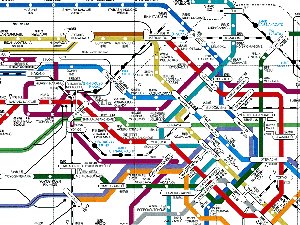
Because IPv6 is a new (widely used) protocol, subnets may not be aligned with existing IPv4 . In fact, implementing IPv6 in your network is an excellent time to rethink your network topology and simplify it. Therefore, there is a good chance that the path to a distant server does not take the same path using IPv6.

Think of it like the subway, there is usually more than one way to arrive at your destination. And they don't all arrive at the same time.


A different path, a different set of rules

There can be local advantages as well, for example, what if there is a firewall in the way of getting to the server down the hall. Depending on how new the IPv6 network is, there may not be firewall rules yet applied, and the path is wide open. Of course, if this is your network, you should not leave the network in this state for long. It isn't only the good guys trying to get to your server down the hall.

Networking Old School, firewalls

Just like the old days, before there was NAT (Net Address Translation), there were firewalls with ACLs (Access Control Lists), which controlled the flow of traffic. Contrary to popular belief, NAT is not a firewall. Sure, when done cleanly, NAT only allows traffic to be initiated in one direction. But because NAT munges things up so bad, most NATs have one or more static port forwards configured (think: holes in your firewall). And that is just the explicit forwarding. UPnP (Universal Plug and Play) is a protocol which allows any host on the inside of NAT to open holes (reverse port forwards). Suddenly your clean NAT implementation is as good as Swiss Cheese.

Before there was NAT there were firewalls, and they are just as good at IPv6 as they were for IPv4. IPv6 is a different protocol, it requires a different set of rules. And because the addresses are different, you can't just cut and paste the IPv4 rules. Be thoughtful when setting up firewall rules.

IPv6 Goodness, using the auto-generated link-local address

But there are other good reasons to use the separateness of IPv6. Say for example, you turn up a new server, but for what ever reason it didn't pick up an IPv4 address from your DHCP server. You could spend a couple of weeks trolling around for the IPv4 auto-configuration address (one of 65,000) in 169.254.0.0/16.

But with IPv6, every interface is assigned a link-local address. This starts with FE80::/10 (RFC 2462) And every IPv6 node registers for the all-nodes multicast address FF02::1. So if you have another machine on the same link (think: subnet), you can ping the all-nodes multicast address, and watch the multiple returns. Because the link-local address is significant on each link, one must append the interface using the %interface scope notation (RFC 4007).
~$ ping6 ff02::1%eth0 -c 2
PING ff02::1%eth0(ff02::1) 56 data bytes
64 bytes from fe80::211:24ff:fee1:ebc8: icmp_seq=1 ttl=64 time=0.116 ms
64 bytes from fe80::224:a5ff:fef1:7ca: icmp_seq=1 ttl=64 time=0.459 ms (DUP!)
64 bytes from fe80::203:93ff:fe67:6362: icmp_seq=1 ttl=64 time=3.17 ms (DUP!)
64 bytes from fe80::225:31ff:fe02:cecb: icmp_seq=1 ttl=64 time=6.01 ms (DUP!)
64 bytes from fe80::211:24ff:fee1:ebc8: icmp_seq=2 ttl=64 time=0.061 ms
You did note the MAC address of that new server, right? The IPv6 link-local address is formed from the MAC address, which should be unique on the link. And because you did note the MAC address, you can now just ssh to the server using its link-local address.
:~$ ssh fe80::203:93ff:fe67:6362%eth0
cvmiller@fe80::203:93ff:fe67:6362%eth0's password:

The programs included with the Ubuntu system are free software;
the exact distribution terms for each program are described in the
individual files in /usr/share/doc/*/copyright.

Ubuntu comes with ABSOLUTELY NO WARRANTY, to the extent permitted by
applicable law.
cvmiller@myserver:~$ 


No IPv4 needed!

New Protocol, new tricks

Remember that IPv6 is a separate networking protocol (just like Appletalk, Vines, Novel/IPX, DECnet, etc were in the 90s). There are new tricks to learn with this new protocol1.  Now is a good time to start learning IPv6.